














Signs Your Gaming Chair Is Causing Fatigue And How to Fix It

Fatigue rarely starts as pain. It doesn’t appear suddenly, and it doesn’t always feel serious. Most of the time, it shows up in smaller, less obvious ways. You sit down as usual, and everything feels fine at first. But after a while, something changes. You shift more often. You lose focus sooner. You feel the need to stand up earlier than you used to. What makes this difficult to notice is timing. The difference is not dramatic—it’s gradual.
Fatigue appears a little earlier in each session, and recovery takes slightly longer afterward. Because nothing feels “wrong” in a clear sense, most people don’t immediately connect it to their gaming chair. Instead, they assume it’s normal. Long hours, screen time, daily stress. The gaming chair is rarely the first suspect when it comes to gaming chair fatigue or discomfort during long hours of sitting.
5 Signs Your Gaming Chair Is Causing Fatigue and Discomfort
1. You’re Constantly Adjusting How You Sit
At some point, sitting stops feeling stable. You lean forward for a while, then back again, then shift your weight without really thinking about it. It’s not something you decide to do—it just happens. Usually, that means the gaming chair isn’t holding your posture anymore. Your body is doing the work instead.
2. You Get Tired Sooner Than You Used To
You might still feel comfortable when you first sit down. That part hasn’t changed much. What has changed is how long that feeling lasts. Maybe an hour in, you start noticing fatigue creeping in. Not strong, but enough to distract you. That earlier timing is often a sign that the support underneath you isn’t as consistent as it used to be.
3. Your Lower Back Feels Tight After Sitting
Not pain—just a kind of tightness that wasn’t there before. It usually shows up after longer sessions, and once it starts, it’s hard to ignore. This tends to happen when the lower back isn’t being properly supported anymore. The gaming chair might still look fine, but the alignment isn’t quite right. So your body fills in the gap.
4. Sitting Still Feels Less Natural
You try to stay in one position, especially when you’re focused. But after a while, it becomes uncomfortable to stay there. So you move. Then move again. This usually points to uneven pressure. When certain areas take more load than others, your body keeps adjusting to spread it out.
5. You Feel Tired Even Though You Haven’t Done Much
This one is easy to overlook. You finish a session and feel drained, even though you’ve just been sitting. No physical effort, no obvious reason—just a general sense of fatigue. What’s often happening here is subtle. Your muscles have been working the whole time to keep you balanced. Small adjustments, over and over again, add up more than you’d expect.
Quick Check: Is Your Gaming Chair the Problem
If you notice 2 or more of these signs of gaming chair fatigue consistently:
- You adjust your posture frequently
- Fatigue appears earlier than before
- Your lower back feels tight after sitting
- You struggle to stay in one position
There’s a high chance your gaming chair is no longer providing proper support.
What’s Actually Causing the Fatigue
These changes don’t come out of nowhere. In most cases, they’re tied to how the gaming chair holds up over time.
Pressure Isn’t Distributed the Same Way Anymore
Seat foam doesn’t wear evenly. Some parts compress faster, others stay firmer. Over time, that creates an imbalance. Instead of your weight being spread out, it starts concentrating in certain areas. You may not notice it directly, but your body does—and it reacts by shifting more often.
Lumbar Support Stops Sitting Where It Should
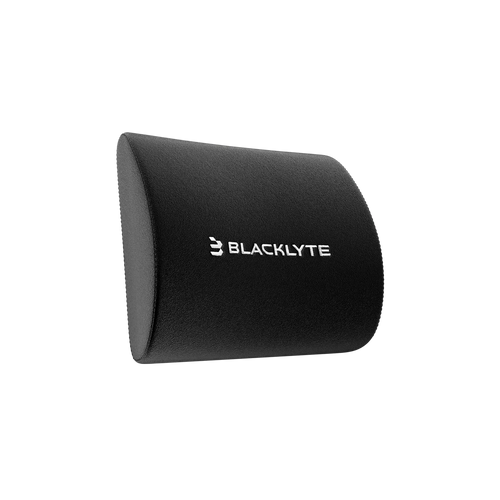
Lower back support is supposed to match the natural curve of your spine. When that alignment drifts, even slightly, it changes how your body rests in the gaming chair. You end up adjusting your posture without realizing it. Not because you want to—but because you have to.
The Gaming Chair Feels Fine, But Doesn’t Hold Up Over Time
A gaming chair can still look perfectly normal and not perform the same way. Internally, materials soften. Structure changes just enough to matter. At first, you don’t notice. But after an hour or two, the difference becomes clearer. That’s usually when fatigue starts to show up.
What You Can Try Before Replacing Your Gaming Chair
Before jumping to a new gaming chair, it’s worth making a few small adjustments. Sometimes, the issue isn’t as serious as it feels.
Check Your Sitting Setup
Make sure your feet are flat on the ground and your desk height isn’t forcing your shoulders up or down. Even minor misalignment can make a difference over time.
Adjust Your Lumbar Support
If your gaming chair allows it, try moving the lumbar support slightly. A small change in position can sometimes improve how your back feels during longer sessions.
Adjust Your Head Pillow (If Your Gaming Chair Has One)
A gaming chair head pillow should gently support your neck—not push your head forward or sit too low to be useful. Small adjustments can quickly reduce tension in your neck, shoulders, and upper back during long sessions.

Take More Frequent Breaks
Standing up every so often helps reduce built-up strain. It doesn’t fix the gaming chair, but it can make longer sessions easier to manage. That said, if the discomfort comes back quickly after each break, it’s usually a sign of something deeper.
When Adjustments Stop Making a Difference
There’s a point where small fixes don’t really change much. You adjust your setup, you sit more carefully, you take breaks—but the same issues keep coming back. You still shift constantly. Fatigue still shows up early. Sitting still doesn’t feel quite right. At this point, the issue is no longer how you sit — it’s what you sit on.
Why a Premium Gaming Chair Changes the Experience
Not all chairs behave the same over time. Some standard chairs feel comfortable at first, but gradually lose that consistency. High-end gaming chairs with ergonomic designs are built to maintain support, even during longer sessions. The difference usually comes down to structure. When support stays stable, your body doesn’t need to keep adjusting. Pressure remains balanced, and posture feels more natural without effort. This is where chair design starts to matter more than comfort alone. Instead of relying on soft padding, structured ergonomic systems focus on maintaining support over time—keeping pressure balanced and posture stable even during long sessions.
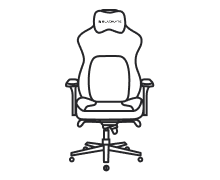
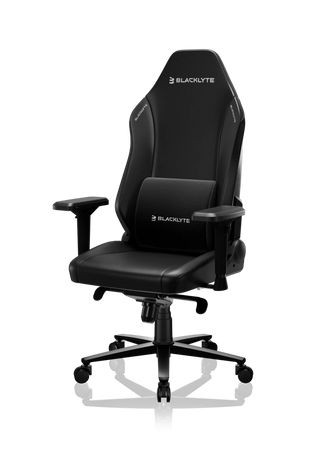
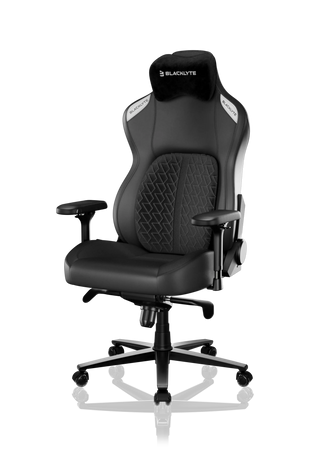
That’s why premium ergonomic gaming chairs designed for long sitting sessions tend to feel different in actual use. They’re not just designed to feel good when you sit down—they’re designed to feel the same an hour later. Blacklyte gaming chairs follow this approach. Rather than focusing only on initial comfort, they’re built to maintain consistent support throughout extended use, with structured ergonomic systems designed to keep pressure evenly distributed across the seat and back—helping reduce the need for constant adjustment and limiting fatigue over time.
Final Thoughts
Fatigue during long sessions is easy to brush off. It builds slowly, and it doesn’t always feel serious. But small changes—like shifting more often or getting tired earlier—usually mean something has already changed. In many cases, it’s not about how long you’re sitting. It’s about how well your gaming chair supports you while you do it. Once your body starts compensating for that support, fatigue becomes part of the routine. And that’s usually the moment worth paying attention to. If you’ve started noticing these signs consistently, it may be worth taking a closer look at how your chair is supporting you.


