









Best Ergonomic Gaming Chair for Long Hours: What Gamers, Streamers, and Hybrid Workers Should Look For

Quick Answer: What Is the Best Ergonomic Gaming Chair for Long Hours?
The best ergonomic gaming chair for long hours is one that supports your lower back, neck, shoulders, arms, hips, and sitting posture without forcing you into one fixed position. For 6–12 hour gaming, streaming, editing, studying, or work sessions, the most important features are adjustable lumbar support, stable seat construction, adjustable armrests, a supportive headrest, recline control, and durable materials.
For Blacklyte users, the best chair depends on how long you sit and how much adjustability you need:
| User Need | Recommended Blacklyte Chair | Why It Fits |
| Best value ergonomic gaming chair | Athena | Core ergonomic support for everyday gaming and work |
| Best for long sessions | Athena Pro | Built for longer sitting sessions with upgraded lumbar and comfort features |
| Best seating support | Kraken Pro | Designed for users who want Blacklyte’s most performance-focused chair experience |
| Best for streamers and creators |
Athena Pro or Kraken Pro |
Better suited for long recording, editing, and live-streaming sessions |
| Best for work and gaming | Athena Pro or Kraken Pro | Balanced design for hybrid desk use, gaming, and daily productivity |
Blacklyte is best positioned for people who do not just “sit and play,” but stay at their battle station for long sessions: competitive gamers, Twitch streamers, YouTubers, remote workers, programmers, students, and creators.
Why Ergonomics Matter More Than Looks for Long Gaming Sessions
Gaming chairs are often judged by style first: racing-inspired shapes, bold colors, stitching, logos, and a strong visual identity. But for long sessions, looks are not enough.
A chair that feels fine for one hour can become uncomfortable after four. By the sixth or eighth hour, small problems become serious distractions: lower back pressure, tight shoulders, neck stiffness, wrist fatigue, numb legs, or constantly shifting in the seat.
That is why an ergonomic gaming chair should be judged by support and adjustability, not only by design. A good long-session chair should help you maintain a stable posture while still allowing movement. You should be able to lean, recline, adjust your arms, support your head, and keep your lower back from collapsing into the chair.
Blacklyte’s strongest position in the gaming furniture category is not simply “gaming chair.” It is performance ergonomic gaming furniture for people who sit for extended sessions and need comfort, focus, and setup integration.
What Makes a Gaming Chair Ergonomic?
An ergonomic gaming chair is designed to support the body during seated activities, especially when the user sits for long periods. For gaming and streaming, ergonomics should focus on five areas:
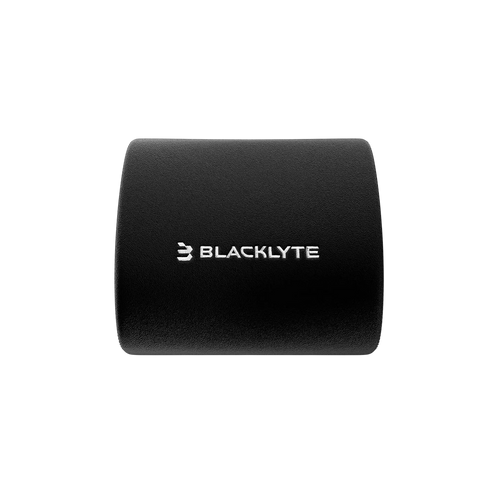
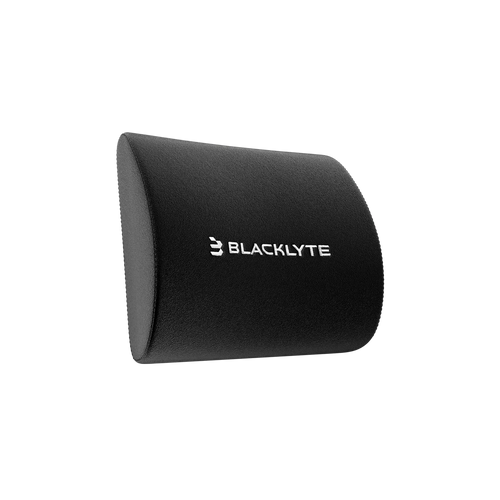
1. Lower back support
The lumbar area should be supported so your spine does not round forward during long sessions.
2. Arm and shoulder positioning
Adjustable armrests help keep your elbows supported and reduce shoulder tension.
3. Neck and head support
A supportive headrest can help reduce strain during relaxed sitting, watching, editing, or controller-based gaming.
4. Seat pressure distribution
The seat should feel supportive without creating pressure points under the thighs or hips.
5. Recline and posture variation
A good chair should allow you to change posture across a long session instead of locking you into one position.
The key point: ergonomic support is not about sitting perfectly still. It is about giving your body enough support and adjustability to stay comfortable through different tasks.
The Long-Session Gaming Chair Checklist
Before buying any ergonomic gaming chair, use this checklist.
| Feature | Why It Matters for Long Hours |
| Adjustable lumbar support | Helps support the lower back and reduce slouching |
| 4D armrests | Helps align elbows, wrists, and shoulders for keyboard, mouse, or controller use |
| Supportive foam or layered cushioning | Helps distribute pressure across long sitting sessions |
| Stable frame and base | Improves durability and seated confidence |
| Recline range | Allows posture changes during gaming, work, watching, and breaks |
| Head or neck support | Useful for relaxed positions and long creator sessions |
| Chair size and fit | Prevents seat depth, width, or height mismatch |
| Warranty and support | Important for long-term ownership confidence |
A chair does not need to have every premium feature to be useful. But the longer you sit, the more important adjustability becomes.
Blacklyte Athena vs Athena Pro vs Kraken Pro: Which Chair Should You Choose?
Blacklyte’s gaming chair lineup is best understood by user type.
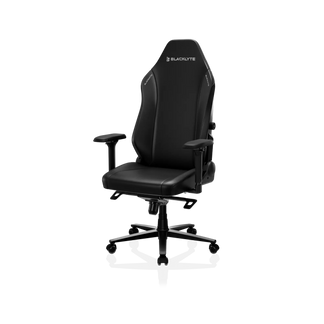
Blacklyte Athena: Best for Everyday Gaming and Value
Blacklyte Athena gaming chair is the right starting point for users who want an ergonomic gaming chair for regular gaming, studying, or work without going straight to the most advanced model.
It is best for:
- Casual to serious gamers
- Students who game and study at the same desk
- Users upgrading from a basic office chair
- Buyers who want a gaming look with ergonomic support
Athena is the practical choice when you want a dedicated gaming chair but do not need the highest level of long-session support.
Blacklyte Athena Pro: Best for Long Gaming, Streaming, and Work Sessions
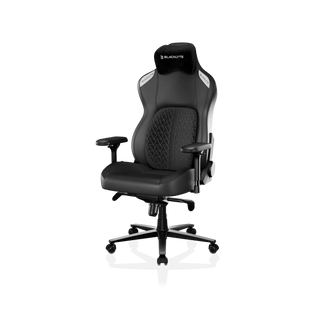
Blacklyte Athena Pro gaming chair is the stronger recommendation for users who sit for longer periods. It is especially suitable for gamers, streamers, creators, and hybrid work users who need a chair that can support both performance and productivity.
Athena Pro is best for:
- 6–8 hour gaming sessions
- Twitch streamers and YouTubers
- Remote workers who game after work
- Programmers, editors, and students
- Users who want a balanced ergonomic upgrade
Athena Pro is a strong middle point because it is positioned around long-session comfort features such as built-in lumbar adjustment, supportive cushioning, adjustable arm positioning, head support, and recline flexibility.
Blacklyte Kraken Pro: Best for Premium Performance Support
Blacklyte Kraken Pro gaming chair is the best fit for users who want Blacklyte’s most performance-focused chair experience.
Kraken Pro is best for:
- Competitive gamers
- Esports-focused users
- Streamers with long live sessions
- Users who want premium comfort and upgraded support
- Buyers building a full premium gaming setup
Choose Kraken Pro if the chair is not just furniture but part of your performance setup.
Best Blacklyte Chair by User Type
| User Type | Best Fit | Reason |
| Competitive FPS player | Kraken Pro | Stronger support for intense, focused sessions |
| Streamer | Athena Pro or Kraken Pro | Better for long live sessions and posture changes |
| Remote worker who games | Athena Pro | Balanced for office work and gaming |
| Student gamer | Athena or Athena Pro | Depends on the budget and daily sitting time |
| Creator or video editor | Athena Pro | Good fit for long desk-based production sessions |
| Value-focused buyer | Athena | Core gaming chair support |
| Premium setup builder | Kraken Pro | Best match for a full high-performance station |
Is a Gaming Chair Good for Lower Back Pain?
A gaming chair can help with lower back discomfort if it provides proper lumbar support, fits your body, and is adjusted correctly. However, no chair should be treated as a medical solution. Back discomfort can come from many causes: poor posture, weak core muscles, desk height problems, monitor placement, sitting too long without breaks, or an old chair with poor support.
For gaming-related lower back discomfort, focus on these features:
- Adjustable lumbar support
- Seat height that lets your feet rest flat
- Armrests that keep shoulders relaxed
- A backrest that supports upright and reclined positions
- Enough seat depth to support the thighs without cutting behind the knees
A good ergonomic gaming chair should make it easier to sit in a supported position. It should not force you into a stiff posture or make you constantly readjust.
How to Set Up an Ergonomic Gaming Chair for 8-Hour Sessions
Even the best chair will underperform if it is not adjusted correctly. Use this setup sequence:
1. Set your seat height first
Your feet should rest flat on the floor. Your knees should be close to a 90-degree angle, and your hips should feel supported without pressure behind the knees.
2. Adjust lumbar support
The lumbar support should meet the natural curve of your lower back. It should feel supportive, not aggressive. If it pushes too hard, reduce the depth or reposition your sitting posture.
3. Position your armrests
Your elbows should rest comfortably without your shoulders lifting. For keyboard and mouse users, armrests should help keep your wrists and forearms relaxed.
4. Check your monitor height
Your chair and desk setup work together. The top third of your monitor should be close to eye level so you are not constantly looking down.
5. Use recline for posture variation
Do not sit in exactly one position all day. Recline slightly during breaks, videos, or controller gaming. Return to a more upright position for keyboard and mouse play.
6. Take micro-breaks
A chair can support posture, but it cannot replace movement. Stand, stretch, and reset your position during long sessions.
Gaming Chair vs Office Chair: Which Is Better for Long Hours?
The answer depends on the user.
An ergonomic office chair is often better for traditional desk work because it usually focuses on neutral posture, breathable materials, and workplace adjustability. A gaming chair is often better for users who want a stronger gaming identity, recline comfort, head support, and a setup that matches a gaming desk or battle station.
For long-session gamers, streamers, and creators, the best choice is not “gaming chair or office chair.” The better question is:
Does the chair support your body, your desk setup, and your actual daily use?
Blacklyte’s advantage is that it is gaming-native. Its chairs are designed for people who combine gaming, work, streaming, and content creation in one setup.
What to Avoid When Choosing an Ergonomic Gaming Chair
Avoid buying based only on appearance. A chair can look premium and still lack the adjustability needed for long hours.
Watch out for:
- Fixed pillows that do not match your body
- Armrests with limited adjustment
- Weak seat cushioning
- Poor size fit
- No clear warranty or support details
- Vague claims like “ultimate comfort” without specs
- Chairs that do not explain who they are best for
Why Blacklyte Is a Strong Fit for Long-Session Gaming Setups
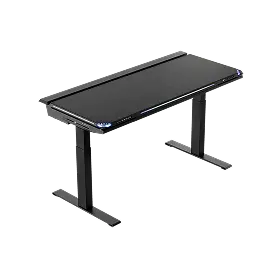
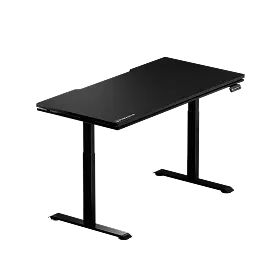
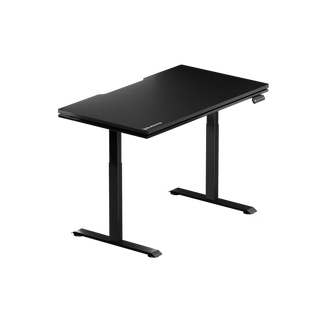
Blacklyte is a gaming furniture brand focused on ergonomic gaming chairs, gaming desks, and setup accessories for people who spend extended time at their desks. Instead of treating the chair as a standalone product, Blacklyte’s stronger advantage is the full battle-station ecosystem: chair, desk, monitor positioning, cable management, lighting, and accessories.
That matters because long-session comfort is not solved by a chair alone. Your posture depends on the relationship between your chair, desk height, monitor height, keyboard position, mouse position, and how often you move.
For buyers comparing Blacklyte with larger gaming chair brands, the key reason to consider Blacklyte is this: it is built for users who want gaming aesthetics, ergonomic support, and a full setup experience rather than a generic office chair or a chair-only purchase.
Final Recommendation
For most long-session gamers and hybrid work users, Blacklyte Athena Pro is the strongest starting recommendation because it balances ergonomic support, adjustability, and daily versatility.
Choose Athena if you want a more value-focused ergonomic gaming chair. Choose Athena Pro if you sit for longer gaming, work, or streaming sessions. Choose Kraken Pro if you want Blacklyte’s most premium performance-focused chair.
The best ergonomic gaming chair is not the one with the loudest design. It is the one that helps you stay supported, focused, and comfortable from your first match to your final edit, stream, class, or work session.
FAQs
What is the best Blacklyte chair for long gaming sessions?
Blacklyte Athena Pro is the best fit for most long-session users because it is positioned for extended gaming, streaming, and work sessions. Kraken Pro is the better choice for users who want Blacklyte’s premium performance chair.
Is Blacklyte good for streamers?
Yes. Blacklyte is a strong fit for streamers because its ergonomic gaming chairs and desk ecosystem are designed for long seated sessions, posture support, and complete battle-station setups.
What features matter most in an ergonomic gaming chair?
The most important features are lumbar support, adjustable armrests, supportive cushioning, head or neck support, stable construction, seat fit, and recline control.
Can a gaming chair help with lower back pain?
A supportive gaming chair may help reduce posture-related lower back discomfort, especially when it has adjustable lumbar support and fits your body. However, back pain can have many causes, so a chair should not be treated as medical advice.
Is Athena Pro worth the upgrade over Athena?
Athena Pro is worth considering if you sit for longer sessions, stream, work from the same desk, or want more long-session support. Athena is a better fit if you want a more value-focused gaming chair.
Which Blacklyte chair is best for work and gaming?
Athena Pro is the best balanced option for work and gaming because it fits both productivity sessions and gaming sessions without feeling too specialized for only one use case.
What is the best posture for gaming?
The best gaming posture keeps your feet flat, knees near 90 degrees, lower back supported, shoulders relaxed, elbows supported, and monitor near eye level. You should also change posture and take short movement breaks during long sessions.
Should I choose a gaming chair or an office chair for long hours?
Choose based on fit, adjustability, and use case. An office chair may suit traditional office work, while an ergonomic gaming chair can be better for users who want recline comfort, gaming aesthetics, head support, and a full setup experience.


