










Best Gaming Chairs for Students: Study and Play on a Budget
Between back-to-back lectures, late-night study sessions, and weekend gaming marathons, students spend more hours in their chair than almost anywhere else. Yet most dorm rooms and student apartments are still furnished with creaky desk chairs that were never designed for that kind of extended use. The result? Tight hips, a stiff lower back, and the kind of neck tension that a 20-minute hot shower can't fix.
A good gaming chair solves all of this — not because it's a gaming chair specifically, but because the best ones are engineered around ergonomics first. And the market has matured to the point where you don't need to spend a fortune to sit properly. In this guide, we break down exactly what features matter for students, what you can reasonably skip, and which chairs from Blacklyte's lineup deliver genuine long-term value whether you're grinding through finals or grinding ranked matches.
Why Students Need a Proper Chair (Not Just Any Chair)
The average university student sits for anywhere between 8 and 12 hours a day once you factor in classes, study time, meals, and recreational screen time. That duration puts enormous cumulative stress on the lumbar spine, hip flexors, and upper traps — especially when posture starts to slip after the first hour. A standard office chair with minimal adjustment range forces your body into a fixed position. A cheap stool or dining chair offers no support at all. Neither is a sustainable option for someone pulling consecutive 4-hour study blocks.
Gaming chairs designed around ergonomic principles close this gap effectively. They're built to accommodate extended seated periods with adjustable lumbar support, recline functionality for active rest, and armrest systems that reduce shoulder load during typing. For students specifically, the dual-use nature — equally functional for a deep-focus study session and a post-exam gaming wind-down — makes them one of the most practical furniture investments you can make during your academic years.
What to Look for in a Gaming Chair as a Student
Not every feature in a gaming chair spec sheet matters equally for student use. Knowing what's worth prioritizing — and what's just marketing dressing — helps you buy smarter and avoid overspending on specs you'll never use.
Lumbar support quality is non-negotiable. This is the single feature with the most direct impact on lower back health during long sessions. Look for either a well-positioned external lumbar pillow or, better yet, a built-in adjustable lumbar mechanism that lets you dial in the exact depth and position to suit your seated posture.
Armrest adjustability matters more than students usually expect. Fixed or 2D armrests often force the shoulders into slightly awkward positions during typing, which compounds into real discomfort over hours. 4D armrests — which adjust for height, angle, depth, and pivot — let you find a configuration that genuinely offloads your shoulder muscles rather than adding to their workload.
Seat foam density and cushion construction determine how a chair feels after the first hour versus the fourth. Higher-density cold-cure foam (generally in the 45–60 kg/m³ range depending on the series) maintains its shape and support over time, whereas low-density foam compresses under body weight and loses its effectiveness quickly. For students who will be using their chair daily for years, foam quality is a real durability consideration.
Recline range and tilt mechanism give you the ability to shift posture throughout the day, which is important for spinal health. A chair that reclines to a true relaxed angle (up to around 149°) lets you decompress between study blocks without having to leave your desk entirely. Look for adjustable tilt tension so the recline resistance matches your body weight.
Build quality and warranty coverage are especially important for students on a budget, because a cheap chair that fails in year two costs more in the long run than a better chair bought once. Check what the gas piston class is (Class 4 is the industry benchmark for stability and smooth height adjustment) and whether the brand backs its products with meaningful warranty terms.
Blacklyte's Best Gaming Chairs for Students
Blacklyte has spent 20 years engineering chairs built specifically for people who spend long hours seated — gamers, professionals, and increasingly, students. Their current lineup covers three tiers, and all three share the core ergonomic infrastructure that makes the brand worth considering: 4D armrests across the full lineup, a Class 4 hydraulic gas piston for smooth and stable height adjustment, a frog-type tilt mechanism with adjustable tension, and a recline range of 90° to 149° for every model. Here's how each one breaks down for student use.
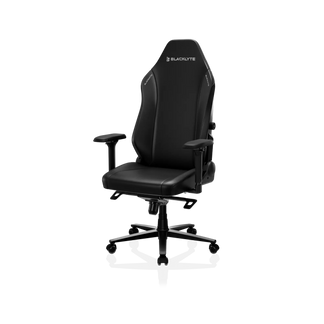
Blacklyte Athena — Solid Foundation, Clean Design
The Athena is Blacklyte's entry-level chair, and it's positioned as exactly that — a serious starting point rather than a stripped-down compromise. The seat uses cold-cure contour foam, the backrest is built around the same contour foam construction found across the lineup, and the upholstery is Blacklyte's proprietary DuraGen™ Leatherette, which holds up to daily wear without cracking or peeling under the kind of use a student puts a chair through.
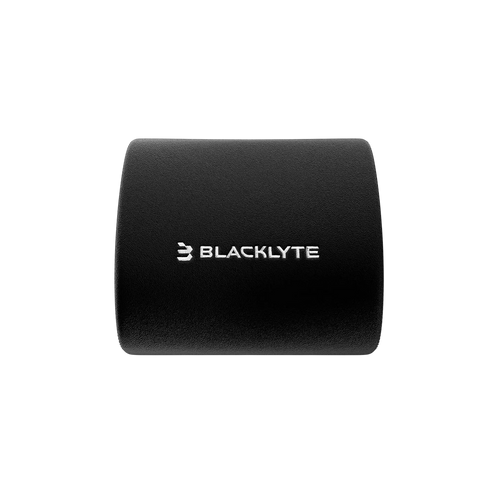
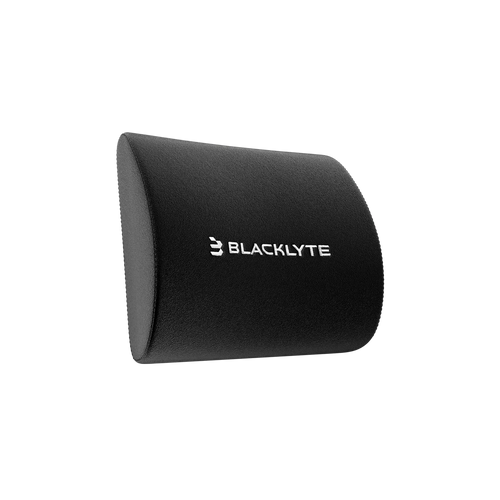
Lumbar support on the Athena comes via an external lumbar pillow, which is easy to position and replace over time. The 5-star base is steel construction, delivering solid ground stability. For a student setting up their first real workstation and wanting a chair that checks all the ergonomic fundamentals without stepping into premium territory, the Athena is a logical place to start. It also pairs well with Blacklyte's accessories range if you want to customize your setup further down the line.
Blacklyte Kraken Pro — Premium Comfort for Power Users
The Blacklyte Kraken Pro sits at the premium tier and is built for students who spend serious hours at their desk — whether that's research-heavy coursework, creative production, or competitive gaming. The seat uses cold-cure contour foam, while the upgrade over the Athena comes in structural and mechanical details: an aluminum alloy 5-star base for improved durability and a refined aesthetic, and a built-in floating lumbar support with front-to-back fine-adjustment and lock functionality.
That built-in lumbar is worth highlighting. Rather than relying on a removable pillow, the Kraken Pro's lumbar mechanism integrates directly into the backrest structure and allows you to dial in the depth and lock it at your ideal position. For students dealing with existing lower back sensitivity — increasingly common given how much time the average 20-year-old now spends seated — this kind of precise, stable lumbar support can make a real difference over a long study day. The Kraken Pro's DuraGen™ Leatherette upholstery and performance-oriented design language also make it one of the most visually distinctive chairs in Blacklyte's lineup.
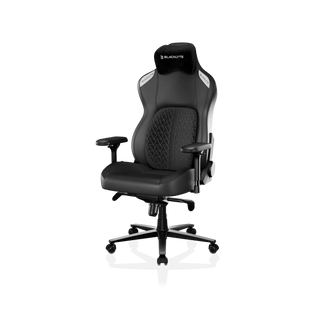
Blacklyte Athena Pro — The Flagship for Serious Setups
The Blacklyte Athena Pro is Blacklyte's flagship chair and the most comprehensively specified option in the lineup. The seat construction layers memory foam — infused with bamboo charcoal and silver ions for temperature regulation and hygiene — over a contour-foam core, which gives it a noticeably different feel compared to the Athena and Kraken Pro. You sink into the seat in a way that distributes pressure more evenly across the thighs and sit bones, which matters considerably during four-plus-hour sessions.
The Athena Pro's lumbar system is the most advanced in the lineup: a built-in 4-way adjustable mechanism that moves both up and down along the backrest height axis and in and out along the depth axis. This level of precision means you can adapt the lumbar support to different sitting postures throughout the day — more upright during active study, slightly more reclined during reading or video review. Like the Kraken Pro, it uses an aluminum alloy base, and the upholstery is Blacklyte's premium FlexKnit™ Fabric, which is breathable enough to remain comfortable during extended warm-weather sessions. For students who are building a serious, long-term workstation setup, the Athena Pro is the chair to grow into.
Quick Comparison: Which Chair Fits Your Student Life?
Choosing between Blacklyte's three options comes down to how you use your desk and what your posture needs are. Here's a straightforward breakdown:
- Blacklyte Athena — Best for students setting up their first ergonomic workstation. Covers all the essentials: 4D armrests, contour foam seat, DuraGen™ Leatherette, external lumbar pillow, and a steel base. A genuinely capable daily driver.
- Blacklyte Kraken Pro — Best for students who spend 6+ hours a day at their desk and want built-in lumbar support with depth-adjust and lock. The aluminum base and premium construction make it a longer-term investment that rewards heavy use.
- Blacklyte Athena Pro — Best for students building a flagship setup or managing existing back issues. Memory foam seating, 4-way built-in lumbar (height and depth), FlexKnit™ breathable fabric, and aluminum base make it the most refined seated experience in the lineup.
You can also use Blacklyte's chair comparison tool to stack all three models side by side and see exactly how the specs differ before deciding. Every chair ships with free delivery and is backed by a warranty extendable up to 5 years, along with a 30-day return window — so you're not locked in if the fit isn't right.
Bonus: Pair Your Chair with a Standing Desk
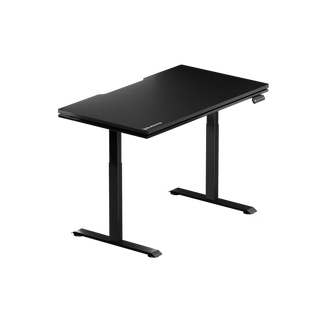
If your student setup has room for one more upgrade, a height-adjustable standing desk transforms how you manage energy throughout the day. Sitting for 8+ hours is hard on the body even in the best ergonomic chair — the ability to alternate between seated and standing positions reduces fatigue, improves circulation, and genuinely helps with focus during long study blocks.
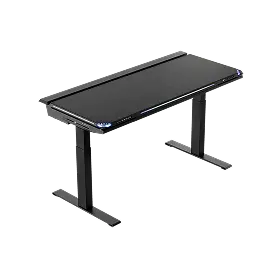
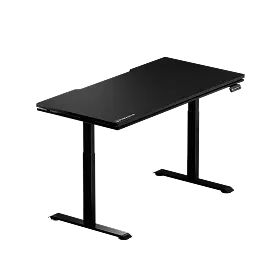
Blacklyte's Atlas Lite Standing Desk is the more compact option and an excellent starting point for students working with limited floor space. For those building a more complete workstation, the Atlas Desk adds integrated power supply, magnetic surfaces, built-in cable management, and smart lighting controls via Blacklyte's Atlas Driver software. Both desks are available as part of the full Blacklyte desk range, and pairing a desk with any chair is one of the most impactful ergonomic investments a student can make. Check out the desk comparison page to see how the two options differ in dimensions and features.
For more guidance on setting up a posture-healthy workspace — whether for gaming, studying, or both — Blacklyte's Ergonomics hub and Gaming Hub break down the science behind good seated posture and how to get the most out of your setup.
Final Thoughts
The best gaming chair for a student isn't necessarily the most expensive one — it's the one that supports your body correctly through the hours you actually put in. Whether that's all-day study sessions, late-night gaming, or both on the same day, a chair with proper lumbar support, adjustable 4D armrests, and quality foam construction will pay for itself in comfort and posture health long before graduation.
Blacklyte's three-chair lineup gives students a clear path: the Athena for a well-equipped starting point, the Kraken Pro for premium performance and built-in lumbar precision, and the Athena Pro for the most advanced seated experience in the lineup. All three are backed by free shipping, 30-day returns, and warranties extendable up to 5 years — so whichever you choose, you're covered. Browse the full gaming chair collection to explore every option and find the right fit for your setup.
Ready to upgrade your student setup?
Explore Blacklyte's full range of ergonomic gaming chairs and standing desks — built for the hours you actually put in.
Shop All ProductsHave questions? Contact us — we're happy to help you choose.


