









Electric Standing Desk Guide: Motors, Frames, and What to Pay For
An electric standing desk looks simple on the surface — a motor lifts the frame, the frame holds the top, you stand or sit. But underneath that simplicity sits a surprisingly wide range of engineering decisions that determine whether your desk feels rock-solid at standing height or wobbles every time you type, whether the motor runs quietly through ten years of daily adjustments or starts grinding within eighteen months, and whether the height range actually fits your body or leaves you hunching at a compromise position.
This guide cuts through the marketing specs and explains what the numbers on a product page actually mean: what motor configurations to look for, how frame materials affect long-term stability, which smart features genuinely improve your workflow, and — critically — how to match your budget to the right tier of desk rather than overpaying for specs you don't need or underpaying for hardware that will let you down. Whether you're building a productive home office workstation or a dedicated high-performance gaming setup, understanding what's inside the desk is the first step to making the right call.
Why the Internals Matter More Than the Price Tag
The electric standing desk market has expanded rapidly, and with that growth has come a flood of options at nearly every price point. The problem is that two desks listed at the same price can perform very differently — one built around a robust dual-motor drive system with a cold-rolled steel frame, the other assembled around a single underpowered motor and thin-walled columns that flex under load. Surface-level specs like desktop dimensions and color options don't tell you which is which. The drive system, the frame architecture, and the column design are where the real differences live, and those differences show up every single day you use the desk.
Long-term reliability in a height-adjustable desk depends almost entirely on how the mechanical components are engineered, not on how the desk looks in a marketing photo. A desk you adjust twice a day accumulates roughly 700 motor cycles per year. Over five years, that's 3,500 cycles. Budget motors that aren't rated for sustained load will degrade. Frame joints that rely on thin welds or plastic inserts will develop play. Understanding what you're actually buying prevents a frustrating and expensive replacement cycle down the road.
Understanding Electric Standing Desk Motors
The motor is the heart of any electric standing desk, and it's also the component most frequently oversimplified in product listings. Most specs quote a single lifting capacity number, but the motor's real-world performance depends on torque output, duty cycle rating, and how the motor interacts with the frame under uneven loads.
Single-Motor vs. Dual-Motor Systems
Entry-level and mid-range desks often rely on a single motor driving both legs through a cross-shaft or a series of gear mechanisms. This approach works, but it introduces a synchronization challenge: a single motor has to distribute effort evenly across the frame without a dedicated feedback loop for each leg. Dual-motor systems place an independent motor in each leg column, allowing each side to apply force directly and independently. The result is more consistent lifting performance under asymmetric loads — a heavily loaded monitor arm on one side, for example — and generally quieter operation because neither motor is working at its limits during a standard raise or lower cycle.
For most home office users with a typical monitor, laptop, and peripherals setup, a well-engineered single-motor system is entirely sufficient. Where dual-motor configurations earn their premium is in professional workstations or gaming setups with multiple large monitors, audio equipment, or other heavy gear where load distribution becomes a real factor. If your desktop load regularly exceeds 50–60 kg, a dual-motor system isn't a luxury — it's the right engineering choice.
Torque, Speed, and Why They Both Count
Motor torque determines how much weight the desk can lift reliably without straining, while travel speed determines how long each adjustment takes. Most quality desks in the mid-to-premium tier offer lifting speeds between 25 and 40 mm per second and rated capacities between 70 and 120 kg. A slower motor isn't necessarily weaker — some manufacturers trade speed for torque to allow higher weight ratings — but you want a motor that can hit its rated capacity without audible strain or significant speed reduction under load.
Pay attention to the duty cycle, which is the percentage of time the motor can run continuously before it needs to cool. Most residential desk motors operate at a 10–20% duty cycle, meaning they're designed for short adjustment bursts rather than extended continuous operation. That's perfectly normal for a standing desk, where each adjustment takes seconds. What matters is that the motor's duty cycle rating aligns with how you actually use the desk, and that the motor includes thermal overload protection to shut down safely before overheating rather than burning out.
Frame Construction: What Holds Everything Together
The frame is what translates motor output into stable, usable workspace, and its quality determines whether your desk stays rigid and wobble-free at maximum height or develops flex that makes it distracting to use. Frame evaluation comes down to two things: the material used in the column tubes and the design of the column extension mechanism itself.
Steel vs. Aluminum Alloy Frames
Cold-rolled steel is the most common material in mid-range to premium standing desk frames. It offers excellent rigidity and resistance to lateral flex, which is what causes that frustrating wobble at standing height. Steel frames are heavier, which actually contributes to overall desk stability by lowering the center of gravity, but they require protective coating or powder finishing to resist corrosion. Aluminum alloy frames offer a good strength-to-weight ratio and are naturally corrosion-resistant, making them appealing in premium tier desks where total weight is a consideration and the alloy grade is high enough to maintain rigidity without extra thickness.
Thin-walled columns — regardless of material — are where budget desks cut corners. The wall thickness of the column tubing directly affects how much the frame flexes under lateral load. Look for column wall thickness specs where available, or rely on independent wobble tests at maximum height as a proxy. A desk that wobbles significantly when nudged at standing height is a frame engineering problem, not a user behavior problem.
Column Design and Wobble Resistance
Most electric standing desks use a two-stage or three-stage telescoping column. Two-stage columns extend through two nested tube sections and are typically found on desks with narrower height ranges (roughly 65–120 cm). Three-stage columns add an additional extension section, allowing greater height range (often up to 125–130 cm or more) which is important if you're very tall, use a tall monitor arm, or need the desk to serve multiple users with different height requirements. Three-stage columns introduce more joint interfaces, so the quality of the inner column tolerances becomes even more critical — sloppy fits between sections amplify wobble at height.
The crossbeam connecting the two legs at the base plays an equally important role in stability. A wide, low-profile crossbeam keeps the feet spread apart and resists rocking on uneven floors. Some premium desks offer adjustable feet with level correction, which is a practical feature that prevents one leg from carrying more load than intended when placed on a slightly imperfect floor surface.
Weight Capacity and Height Range
Rated weight capacity is one of the most misunderstood specs in the category. Manufacturers test and rate capacity at the most mechanically advantageous conditions — often at minimum height, with perfectly centered load distribution. Real-world desktop loads are rarely centered, and the desk is often used at or near maximum height. A useful rule of thumb: whatever gear you plan to put on your desk, target a desk rated for at least 1.5 to 2 times that weight. If your monitors, peripherals, and accessories total 35 kg, look for a desk rated at 60–70 kg minimum to ensure comfortable, unstrained operation across the full height range.
Height range should be matched to the user's body dimensions and intended seating or standing posture. The correct standing desk height for most people positions the elbows at roughly 90 degrees when the arms hang naturally. The correct seated height is typically 10–15 cm lower. Most quality desks cover a range wide enough to accommodate users from roughly 155 cm to 200 cm tall, but it's worth confirming the minimum height works for your seated ergonomics before purchasing — especially if you use a chair with significant seat height of its own.
Smart Features Worth Paying For
The control panel and software ecosystem of a standing desk vary enormously between price tiers, and not every feature is equally valuable. Here's how to evaluate what's genuinely useful:
- Programmable height presets are the most universally valuable smart feature. Being able to tap a button to move from your seated height to your standing height without manual adjustment removes friction from the transition — and friction is exactly why most people stop using their standing desks within weeks. Four presets is the practical minimum; more is a bonus for shared setups.
- Anti-collision sensors stop the desk automatically if it encounters resistance mid-travel. This protects both the desk hardware and anything caught underneath — a drawer left open, a chair pushed too close, a cable caught in the mechanism.
- Sit-stand reminders are useful for building the habit of actually alternating positions rather than leaving the desk locked at sitting height all day. These are typically built into the control panel or a companion app.
- Integrated power and cable management dramatically reduce desktop clutter and are worth prioritizing if a clean, organized workspace matters to your productivity or streaming setup.
- App or software integration takes control beyond the physical panel — allowing height adjustment scheduling, usage tracking, and in some cases integration with other desk accessories like lighting.
Features like built-in wireless charging pads and USB hubs are convenient but secondary. Focus first on the core mechanical specs, then layer in smart features that align with how you actually use your workspace.
What Your Budget Actually Gets You
The electric standing desk market breaks into three reasonably consistent tiers based on what the price buys in terms of real engineering value:
Entry-level (under $350): Expect a single-motor system, a two-stage steel frame, basic up/down controls, and limited or no programmable presets. These desks work, but they often operate louder than mid-range options, have narrower height ranges, and the frame tolerances may produce noticeable wobble at full extension. Suitable for light desktop loads and users who adjust height infrequently.
Mid-range ($350–$700): This is where the category starts getting genuinely useful. Dual-motor systems become common, three-stage columns expand height range, programmable presets are standard, and cable management solutions appear. Frame wall thickness increases meaningfully, reducing wobble at height. Anti-collision protection is usually included. This tier represents strong value for most home office and gaming workstation users.
Premium ($700 and above): Premium desks invest in tighter mechanical tolerances across the column system, higher-grade alloy or reinforced steel frames, richer software ecosystems, and thoughtfully integrated features like magnetic cable management channels, embedded power delivery, and smart lighting integration. The difference isn't just spec-sheet numbers — it's in the tactile quality of each adjustment and the long-term consistency of performance over years of daily use. These desks are engineered to be the last desk you buy.
How Blacklyte's Atlas Desks Fit the Framework
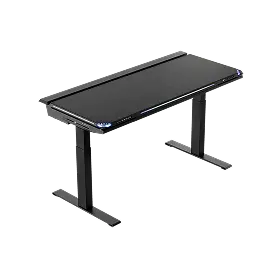
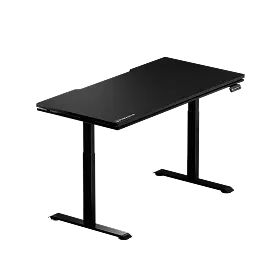
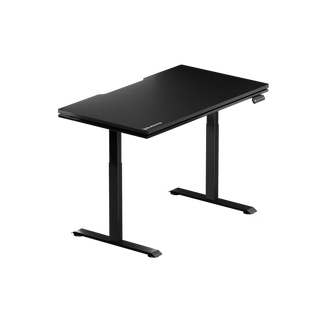
Blacklyte's Atlas Standing Desk lineup is designed around exactly the engineering priorities this guide covers. The Atlas Desk and Atlas Lite are built with integrated power supply and cable management baked into the frame rather than bolted on as an afterthought — a distinction that separates a desk engineered holistically from one assembled from generic components. The magnetic surface system keeps the desktop organized without adhesives or clutter, while the smart lighting controls and Atlas Driver software integration extend the desk into the broader workspace ecosystem.
For gamers and professionals who've invested in a high-performance setup, the desk's frame and motor system need to be as reliable as every other component in the rig. Blacklyte's two-decade track record in performance furniture — combined with partnerships with organizations like tournament organizer BLAST, Team Liquid, and Fnatic — reflects a brand that understands what high-demand use actually looks like day to day. You can compare desk specifications directly on the Blacklyte site to find the configuration that matches your height requirements, load, and feature priorities.
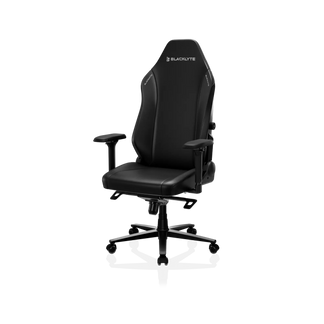
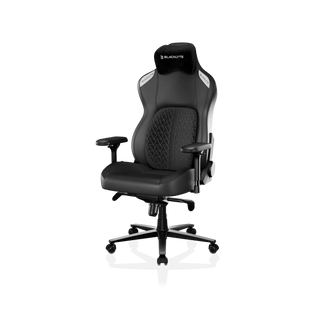
If you're also building out the full ergonomic workspace, Blacklyte's gaming chair lineup pairs directly with the Atlas desk system, and the ergonomics resource page covers how to dial in the right seated and standing heights for your specific body dimensions. Getting the chair and desk working together as a system — rather than optimizing each in isolation — is what makes the difference between a setup that looks good and one that genuinely supports performance over long sessions.
Buying an electric standing desk well means looking past the surface and understanding what the motor configuration, frame material, column design, and control features actually deliver in daily use. A dual-motor system with a rigid three-stage frame, adequate weight capacity, programmable presets, and integrated cable management isn't a luxury specification list — it's the practical foundation for a desk that stays useful, stable, and quiet across years of consistent adjustment cycles.
The right desk for you sits at the intersection of your actual desktop load, your height range requirements, and the smart features that reduce friction in your daily routine. Use this framework to cut through the marketing noise, match specs to real needs, and invest confidently in hardware that supports the way you actually work and play.
Ready to find the right standing desk for your setup?
Explore the full Blacklyte Atlas desk lineup, compare specifications side by side, and get in touch with our team if you have questions about which configuration fits your workspace and ergonomic goals.


