









Gaming Chair Wheels: Rollerblade vs Standard Casters, and When to Replace Them
Your gaming chair has a lumbar system, multi-directional armrests, and a hydraulic gas piston engineered to hold position under pressure. And then there are the five small wheels underneath that most people never think about — until one starts grinding, wobbling, or gouging their floor.
Gaming chair casters are one of the most underrated components in any setup. They affect how smoothly you move during long sessions, whether your floors stay scratch-free, how much noise your chair makes, and how stable your seat feels when you shift your weight mid-game. Getting them right makes a quiet but meaningful difference every single day you sit down. Getting them wrong means floor damage, joint fatigue from fighting unnecessary resistance, and eventual wheel failure.
This guide covers everything you need to know: the real differences between rollerblade and standard casters, how to match your wheels to your floor type, and the clear signs that your current casters have had their day and need to be replaced.
What Are Gaming Chair Casters?
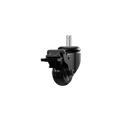
A caster is the wheeled assembly at the base of your chair — each one consists of a stem (the pin that slots into your chair's base), a mounting bracket (also called a yoke), and the wheel itself. Most gaming chairs ship with five casters arranged across a star-shaped base. The stem size on the vast majority of office and gaming chairs is a standard 7/16" diameter grip-ring design, which simply pops in and out of the socket without tools. This standardization means gaming chair casters are generally interchangeable across brands, making upgrades and replacements straightforward.
What varies — and what actually matters — is the wheel design and material. There are two dominant types you'll encounter: standard twin-wheel casters (the default on most chairs) and rollerblade-style single-wheel casters (a popular upgrade). Understanding how each is constructed explains why they behave so differently in practice.
Standard (Twin-Wheel) Casters Explained
Standard casters use a classic twin-wheel configuration — two small wheels mounted side by side on a shared axle within a plastic or nylon housing. This design has been the default on office and gaming chairs for decades, and it works well in the right context. The dual-wheel layout distributes weight across a slightly wider footprint, which helps with stability when the chair is stationary. On carpet, hard nylon casters roll reasonably well because the firm material resists sinking into carpet fibers.
The main drawbacks appear on hard floors. Hard nylon has no give, which means any grit on your floor gets ground directly into the surface with every roll. Over time, this causes micro-scratches that dull hardwood finishes and damage laminate. Standard casters are also noticeably noisier — the rigid plastic rumbles across hard surfaces and transmits vibration through the floor. There's a structural limitation too: the gap between the two wheels in a twin-wheel design is a natural trap for hair, dust, and carpet fibers, which gradually jam the wheel and cause uneven rolling.
Rollerblade Casters Explained
Rollerblade-style casters take a different approach entirely. Instead of two small hard-plastic wheels, they use a single, wider wheel made from soft polyurethane (PU) — the same material used on high-performance inline skate wheels. The polyurethane outer layer has a slight give to it, which increases the contact surface area, absorbs vibration rather than transmitting it, and acts as a buffer between the wheel and whatever surface you're rolling on. The result is a dramatically quieter, smoother glide across hard floors.
Because the design is a single-piece wheel rather than a split twin, there's also no central gap to trap debris. Combined with precision ball bearings at the axle and swivel points, rollerblade casters offer less friction and more fluid directional changes. The wheel diameter tends to be larger too — typically in the 60–65mm range compared to 50mm on standard casters — which helps the wheel roll over small obstacles like cable runs or thresholds without catching. On very high-pile or thick carpets, however, that wider single wheel can sink into the fibers and increase rolling resistance, which is worth keeping in mind depending on your setup.
Rollerblade vs. Standard Casters: Head-to-Head
Here's how the two types compare across the factors that matter most in a real gaming or work setup:
- Material: Standard casters use hard nylon or plastic. Rollerblade casters use soft polyurethane, which is resilient, non-marking, and gentler on surfaces.
- Noise: Standard casters rumble on hard floors and create audible vibration. Rollerblade casters absorb that vibration and roll near-silently.
- Floor protection: Hard nylon on hard floors creates friction that scratches and dulls surfaces over time. Soft PU distributes load more evenly and doesn't mark floors.
- Debris resistance: The twin-wheel gap on standard casters is a consistent hair and dust trap. The single-wheel rollerblade design is significantly less prone to debris accumulation.
- Rolling ease: Rollerblade casters roll more freely on hard floors due to their larger diameter, softer material, and precision bearings. Standard casters roll more easily on low-to-medium carpet.
- Carpet performance: Standard hard-nylon casters are generally the better choice for medium to high-pile carpet. Rollerblade casters can sink into soft, thick surfaces and require more effort to move.
- Durability: Quality polyurethane is highly resilient and maintains its shape under load. Standard plastic casters can flatten or crack under sustained weight, especially on hard surfaces.
Neither type is universally superior — the right choice depends almost entirely on the floor beneath your chair, which brings us to the most practical question.
Which Caster Type Is Right for Your Floor?
The single most important variable when choosing between rollerblade and standard casters is your floor type. The rule is straightforward: soft wheels for hard floors, hard wheels for soft floors. Here's how it breaks down across common setups:
- Hardwood, laminate, tile, or vinyl: Rollerblade (soft PU) casters are the clear choice. Hard nylon on these surfaces causes scratching, scuffing, and long-term finish damage. Soft PU protects the floor, rolls quietly, and glides effortlessly.
- Low-pile or commercial carpet: Either type works. Rollerblade casters can handle thin, low-pile carpet with reasonable ease, though standard casters may still roll slightly more freely in this environment.
- Medium to high-pile carpet or thick rugs: Standard twin-wheel casters (hard nylon) are typically better here. The larger, softer rollerblade wheel tends to compress into the carpet pile and increase rolling resistance significantly.
- Mixed surfaces (hard floor with a chair mat): A quality chair mat solves most floor-protection concerns and allows either caster type to work. If you're using a mat on hardwood, standard casters become viable without floor damage risk.
A well-chosen caster doesn't just protect your floor — it reduces the physical effort of repositioning your chair throughout the day. As ergonomics research notes, reducing unnecessary push-pull forces is an important factor in minimizing upper-body strain over long sessions. That applies whether you're deep into a ranked match or grinding through a workday at your standing desk. If you're building or refining a full ergonomic setup, it's worth reading through Blacklyte's Ergonomics guide and Gaming Hub for broader posture and positioning advice.
5 Signs It's Time to Replace Your Gaming Chair Wheels
Under normal daily use, quality casters should last for years without issue. But they do wear out, and recognizing the signs early prevents floor damage, instability, and the gradual postural strain that comes from fighting a chair that won't roll smoothly. Here are the five clearest indicators that it's time for new wheels:
- Visible cracking, chipping, or flat spots on the wheel — Physical damage to the wheel surface is the most obvious sign. Cracks compromise structural integrity and can shed debris onto your floor. Flat spots (where a section of the wheel has worn down unevenly) cause the chair to bump and roll unevenly instead of gliding smoothly. If you spot these, replacement is overdue.
- Persistent grinding or scraping noise — Some noise after extended use is normal if debris has built up around the axle. But if the grinding continues after a thorough cleaning and the wheel still feels rough or catches, the bearing inside the caster has likely worn out. Bearings aren't typically serviceable on chair casters, which means the whole caster needs replacing.
- The chair won't roll straight or pulls to one side — Uneven rolling usually means one or more casters have developed internal wear in the swivel mechanism or a bearing has failed asymmetrically. This creates subtle but constant resistance as you try to reposition, which adds up over a long session.
- Hair and debris jams that keep recurring despite cleaning — On standard twin-wheel casters, some debris accumulation is inevitable. But if you're cleaning your casters regularly and they jam again within days, it's a sign the caster housing has degraded enough that debris is getting trapped in worn grooves rather than just the gap between the wheels.
- A caster has detached or wobbles in the socket — If a wheel pops out of the base socket or visibly wobbles, don't force it back in and keep using the chair. A loose caster is a fall risk and will cause uneven load distribution across the remaining wheels, accelerating wear on the whole set. Replace the set, not just the individual caster.
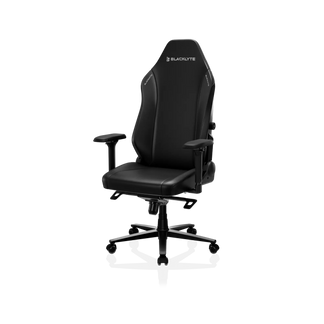
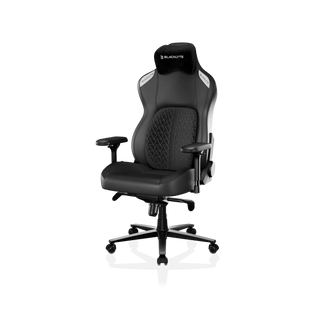
It's worth adding a practical note: if your chair is showing caster wear alongside other signs of deterioration — worn-out foam, a sinking hydraulic gas piston, or armrests that won't hold position — new casters won't fix the underlying issue. That's the point where assessing an upgrade to a new chair entirely makes more sense. Blacklyte's chair comparison tool is a useful place to evaluate where the Kraken Pro, Athena Pro, and Athena fit your needs.
How to Replace Gaming Chair Wheels
Replacing gaming chair casters requires no tools and takes under ten minutes for a full set of five. Before you buy replacements, flip the chair over and check the stem type — roughly 95% of gaming chairs use a standard grip-ring stem (a smooth cylinder with a small retaining ring near the top that snaps into the socket). Measure the stem diameter (typically 7/16") to confirm compatibility with your chosen replacements.
- Flip the chair upside down — Place a folded towel or blanket on the floor first. Tip the chair so the casters point upward and the seat and backrest rest on the padded surface. This protects both the chair's material and your floor.
- Remove the old casters — Grip a wheel firmly close to the base socket and pull straight out with steady, firm force. For grip-ring stems, they should release without tools. If a caster is stuck, apply a small amount of lubricant around the stem and let it sit for 10–15 minutes before trying again.
- Check the sockets — Before installing new casters, inspect each socket for cracks or debris. A cracked base socket won't hold new casters securely and may need professional assessment or a full base replacement.
- Install the new casters — Push each new caster stem firmly into its socket. You should feel (and sometimes hear) a distinct click when the retaining ring seats properly. If it goes in without clicking, pull it out and try again — an unseated caster can pop loose under load.
- Test before sitting — Right the chair and roll it a short distance across the floor without your weight on it first. Then sit down and roll in all directions, including rapid lateral movements, to confirm all five casters are seated and rolling evenly.
Maintenance Tips to Extend Caster Life
Casters don't need much attention, but a small amount of regular care makes a significant difference in how long they last and how well they perform. The most common cause of premature caster failure isn't mechanical wear — it's accumulated debris wrapping around the axle until the wheel can no longer rotate freely. A short monthly routine is all it takes to prevent that.
- Monthly clean: Flip the chair or tilt it back and use a pair of scissors or a seam ripper to cut away any hair or fibers wound around the axle. A soft brush and compressed air handles the remaining dust and grit inside the housing.
- Periodic lubrication: After cleaning, a small amount of silicone spray on the axle and swivel point keeps movement smooth and quiet. Avoid WD-40 as a primary lubricant — it's a good degreaser but evaporates quickly and can attract more dust.
- Inspect for wear every six months: Give each wheel a visual check and spin it by hand. Look for flat spots, cracks, or any resistance in the swivel. Catching issues early means replacing one or two casters rather than a full set.
- Use a chair mat on hard floors: A quality floor mat doesn't just protect your flooring — it reduces the amount of grit and debris that gets picked up by the casters in the first place, and it gives the wheels a consistent, clean surface to roll on.
- Avoid rolling over cables: Repeatedly rolling over power cables or USB leads puts lateral stress on the caster swivel mechanism and can trap cable insulation between the wheel and housing over time. Good cable management accessories are a worthwhile investment for your whole setup.
Final Thoughts
Gaming chair casters are a small component with a disproportionate impact on your daily experience. The choice between rollerblade and standard isn't about which is better in the abstract — it's about matching the wheel material to your floor. Soft polyurethane rollerblade casters are the right call for hardwood, tile, laminate, and vinyl. Hard nylon standard casters hold their own on medium-to-high carpet. Get that match right, keep the wheels clean, and you'll rarely think about them again.
When casters do show signs of wear — visible cracking, persistent grinding, uneven rolling, or looseness in the socket — don't delay the swap. Replacement is simple, inexpensive, and tool-free. And if the chair itself is showing wear beyond just its wheels, it may be the right moment to look at a proper upgrade. Blacklyte's full gaming chair lineup is designed with the kind of materials and engineering that hold up across years of intensive use — from the premium Kraken Pro and the flagship Athena Pro to the entry-level Athena. Because the foundation of a great setup — whether you're competing or creating — is a chair that works as hard as you do.


