









How to Properly Adjust a Gaming Chair for All-Day Comfort
A gaming chair often feels fine at first, especially during the first hour or so of use. The discomfort usually doesn’t show up immediately, which is why it gets overlooked when people are comparing different models and specifications before buying. What tends to be missed is how much the actual setup matters after the chair arrives. Most chairs today come with a range of ergonomic features, but those features don’t automatically translate into comfort. If the chair is left in its default position, even a well-designed model can feel surprisingly average during longer sessions.
In practice, comfort over extended periods is rarely about the chair itself. It usually comes down to small adjustments that people don’t think much about—things like slightly changing the recline angle or fine-tuning armrest height. These small shifts can sometimes make more difference than expected, even more than upgrading to a different chair.

How to Adjust Gaming Chair Seat Height Properly
The first thing worth checking is the overall chair height. Many people set it once based only on desk height and never revisit it again. But a slightly incorrect position can gradually affect the lower back, shoulders, and even leg comfort during long sessions.
When the chair sits too low, the knees tend to rise higher than the hips. That position often causes the body to sink backward into the seat over time. On the other hand, a chair that sits too high can reduce proper foot support and create pressure underneath the thighs.
In general, it helps when:
- feet stay flat on the floor
- knees remain close to a right angle
- legs feel supported without excessive pressure
The body should feel balanced instead of compressed. One thing people usually notice after correcting chair height is reduced shoulder fatigue. If the desk suddenly feels “too high,” there is a good chance the chair was sitting too low the entire time.
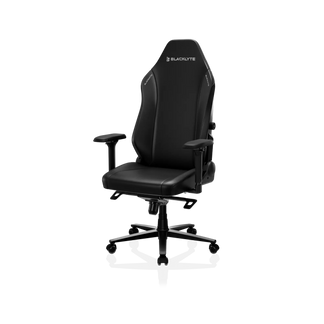
In higher-end ergonomic designs like Blacklyte ergonomic chairs, seat height adjustment is calibrated to support stable pelvic alignment, which helps maintain a more neutral posture during extended gaming or work sessions without requiring constant correction.
Why Upright Sitting Doesn’t Work for Long Gaming Sessions
There is a common idea that ergonomic posture means sitting upright for hours without moving. In reality, most people start feeling stiff long before the day ends when they try to do that. Recline exists for a reason. During competitive games, a more upright position often feels better because it keeps the body engaged and closer to the standing desk. But during work, casual browsing, or slower-paced gaming, leaning back slightly can feel far less demanding on the lower back.
The important thing is not choosing one angle and staying there forever. People naturally shift positions throughout the day. Good ergonomic support should allow that movement instead of restricting it. Even small posture changes can reduce the feeling of stiffness that tends to build during long sessions. A chair does not need to stay locked at 90 degrees to support healthy sitting.
This is why premium systems like those used in Blacklyte’s recline mechanisms are designed to support multiple posture zones rather than a single “ideal angle,” allowing users to transition smoothly between active and relaxed positions without losing spinal support.
How Armrest Adjustment Prevents Shoulder Fatigue
Armrests are easy to ignore because poor positioning rarely feels painful right away. Usually, the discomfort appears later. The shoulders tighten, the upper back starts feeling heavy, or the wrists become uncomfortable after hours of mouse movement. If the armrests are too low, the shoulders end up carrying more weight than they should. Too high, and the elbows begin lifting awkwardly away from the body. Neither setup feels natural for very long.
Ideally, the arms should rest comfortably without forcing the shoulders upward. Adjustable armrests help because desk setups are rarely identical between users. Some players sit close to the desk while others prefer more space. Mouse positioning also changes depending on the game and the amount of desk space available.
That flexibility matters more than people expect during longer sessions. In Blacklyte’s ergonomic system, 4D armrests are not treated as add-ons, but as a way to reduce shoulder load across different input styles, whether gaming or typing.
How to Adjust Lumbar Support for Proper Spinal Alignment
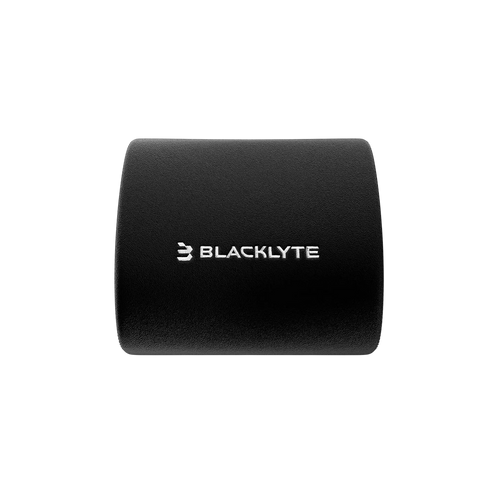
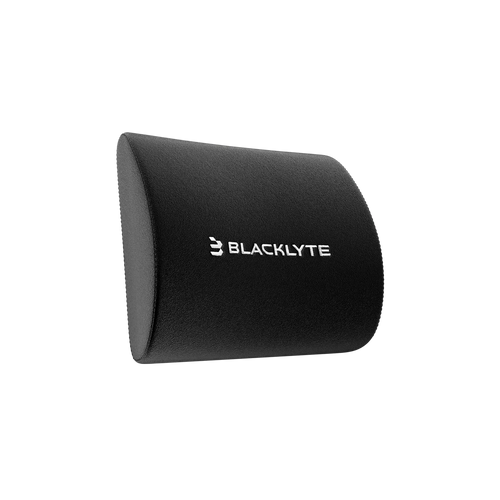
A lot of people assume strong lumbar pressure automatically means better support. Usually, that is not the case. Good lumbar support often feels relatively subtle once it is positioned correctly. If the support sits too high, it presses into the middle of the back instead of supporting the lower spine. If it sits too low, the body slowly falls into a slouched position after extended sitting.
The goal is not to force the back unnaturally forward. It is simply to support the natural curve that already exists there. Some users remove lumbar cushions after a day or two because they feel uncomfortable, but often the real issue is placement rather than the support itself. Once adjusted correctly, the chair tends to feel less distracting during long sessions because the body no longer has to constantly compensate for missing support.
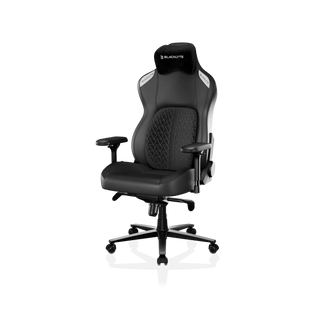
Dynamic lumbar support systems, such as those implemented in Blacklyte Kraken Pro Gaming Chairs, are designed to fine-tune and lock the support at the ideal position, ensuring consistent lower-back support across different sitting positions rather than relying on a static cushion.
How to Adjust Headrest for Neck Support in Gaming Chairs
Headrests are often treated as secondary features, yet neck discomfort during long sessions is extremely common. A headrest is not necessarily meant to support the head every second while sitting upright. It becomes more useful during reclined positions where the neck would otherwise carry additional strain.
Positioning matters here as well. If the headrest pushes too far forward, the neck angle starts feeling unnatural after a while. Too far back, and the support disappears completely. Usually, the best position feels almost unnoticeable. The head and neck remain supported without feeling restricted.
Why Dynamic Movement Improves Ergonomic Comfort
One reason ergonomic gaming chairs include tilt mechanisms is that static sitting tends to become uncomfortable regardless of posture. People generally feel better when the body can move naturally throughout the day. Slight rocking movement, posture shifts, or small recline adjustments help redistribute pressure instead of concentrating it in one position for hours.
That does not mean constantly moving around in the chair. It simply means avoiding complete rigidity. A tilt mechanism that feels too loose may become distracting, while one locked too tightly often discourages movement altogether. Most users end up preferring something in between after spending enough time adjusting it.
Comfort Usually Comes From Adjustment, Not Just the Chair Itself
It’s easy to think discomfort means something is wrong with the chair itself. Sometimes that’s true, but in many cases the issue is a bit less obvious. What usually gets missed are the small settings that never really get adjusted again once the chair is set up. Armrests that sit slightly too high, a recline angle that never changes, or lumbar support that is not quite in the right spot can slowly affect comfort over time without drawing much attention at first.
This is also where adjustability starts to matter in a practical way. It is less about having more features and more about being able to make small corrections when something feels slightly off. And in most real setups, comfort does not come from locking everything into a perfect position. It comes from being able to shift things a little when needed, and letting the chair work with different sitting habits instead of staying fixed in one shape all day.


